Battery sizes are sold in kilowatt-hours, but nobody knows their home’s kWh off the top of their head. The good news is that the math is simple once you know two things: how much energy your home uses in a day, and how much of that you actually need when the grid is down.
Quick answer
The average U.S. home uses about 28.4 kWh/day[src] of electricity, so backing up a whole home for one day takes roughly 33 kWh of battery storage, or about three 13.5 to 15 kWh home batteries. Backing up only essentials (refrigerator, lights, TV, microwave) takes about 4.4 kWh a day, which a single 13.5 kWh battery covers for more than two days.
Key takeaways
- Start with your daily kWh from your utility bill: monthly kWh ÷ 30.
- Decide between whole-home and essentials-only backup. It changes the answer by a factor of five or more.
- Add headroom for losses and the energy the battery keeps in reserve; we use a 10% reserve and 89% round-trip efficiency.
- Check power (kW) as well as energy (kWh): the battery must run everything you switch on at the same time.
- The typical U.S. solar-plus-storage system installed in 2025 had 13.5 kWh of storage, according to Berkeley Lab.
If you want to see what that means during a blackout, read how long a Powerwall runs a house, and find more guides in our home batteries section.
How much electricity does a house use per day?
The U.S. Energy Information Administration (EIA) reports that the average residential customer used 863 kWh/month[src] in 2024, or about 28.4 kWh a day. That average hides big differences between states, mostly because of air conditioning and electric heating:
| Where | Average use per month | Average use per day |
|---|---|---|
| United States | 863 kWh/month | 28.4 kWh |
| Texas | 1,096 kWh/month | 36 kWh |
| Florida | 1,104 kWh/month | 36.3 kWh |
| California | 503 kWh/month | 16.5 kWh |
Your bill shows your actual use. Divide the kWh for the month by the number of days in the billing period. If your utility offers an online account, it may show daily or even hourly use, which is even better.
Whole-home vs essentials: what are you trying to back up?
This is the decision that drives the size and the cost. The EIA’s Residential Energy Consumption Survey (RECS) reports how much electricity each type of appliance uses in the average home that has it:
| Appliance | Per year | Per day (average) |
|---|---|---|
| Refrigerator (main) | 617 kWh/year | 1.69 kWh |
| Lighting | 654 kWh/year | 1.79 kWh |
| TV and related equipment (main) | 210 kWh/year | 0.58 kWh |
| Microwave | 107 kWh/year | 0.29 kWh |
| Ceiling fans | 227 kWh/year | 0.62 kWh |
| Furnace blower (gas or oil heat) | 233 kWh/year | 0.64 kWh |
| Air conditioning | 2,318 kWh/year | 6.35 kWh |
| Electric space heating | 2,484 kWh/year | 6.81 kWh |
| Electric water heater | 2,706 kWh/year | 7.41 kWh |
| Electric clothes dryer | 680 kWh/year | 1.86 kWh |
| Electric vehicle charging | 2,363 kWh/year | 6.47 kWh |
Two things stand out. First, the classic “essentials” (fridge, lights, TV and microwave) add up to only about 4.4 kWh a day. Second, the big loads are the ones that run hard for part of the year: air conditioning, electric heat, an electric water heater and EV charging. Each of those alone can use more energy than all the essentials together.
How to calculate the battery size you need
Use this three-step method, the same one our battery size calculator uses:
- Energy for the outage. Daily kWh you want to back up × hours of backup ÷ 24.
- Add the reserve. Divide by (1 − reserve). Batteries do not deliver their last few percent: Powerwall, for example, stops powering the house when about 10% of its energy remains, so we use a 10% reserve.
- Add losses. Divide by the square root of the round-trip efficiency, which approximates the energy lost while discharging. We use 89%[src], Tesla’s rating for Powerwall 3.
| Scenario | Capacity needed | Powerwall 3 units | FranklinWH aPower 2 units | Enphase IQ 5P units |
|---|---|---|---|---|
| Essentials, 24 hours | 5.1 kWh | 1 | 1 | 2 |
| Essentials, 3 days | 15.4 kWh | 2 | 2 | 4 |
| Whole home (U.S. average), 24 hours | 33.4 kWh | 3 | 3 | 7 |
| Whole home (Texas average), 24 hours | 42.4 kWh | 4 | 3 | 9 |
| Whole home (U.S. average), 3 days | 100.3 kWh | 8 | 7 | 21 |
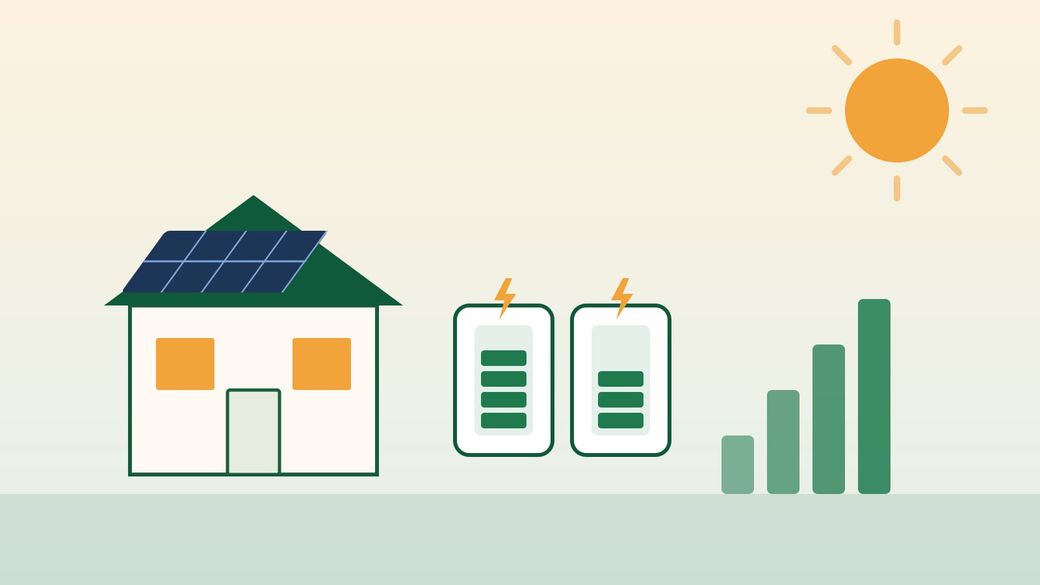
The jump from essentials to whole-home backup is the reason two homes with the same bill can need very different systems. Most buyers settle in the middle: the median residential solar-plus-storage system installed in 2025 had 13.5 kWh[src] of storage, according to Lawrence Berkeley National Laboratory, which matches a single Powerwall.
Don’t forget power: kW matters too
Capacity (kWh) decides how long the battery lasts; power (kW) decides what you can run at the same time. A battery with plenty of kWh but too little kW will shut down when the AC compressor, well pump and microwave start together.
| Battery | Usable energy | Continuous power |
|---|---|---|
| Tesla Powerwall 3 | 13.5 kWh | 11.5 kW |
| FranklinWH aPower 2 | 15 kWh | 10 kW |
| Enphase IQ Battery 5P | 5 kWh | 3.84 kW |
Add up the wattage of everything you might run at once, and remember that motors (air conditioners, well and sump pumps) briefly draw several times their running power when they start. Your installer should check those start-up loads against the battery’s surge or locked-rotor rating.
Sizing for essentials only
Pros
- One battery is usually enough
- Lower cost and less wall space
- Lasts days instead of hours
Cons
- No air conditioning or electric heat during outages
- Needs a separate backed-up circuit panel for the chosen loads
- Less helpful if your goal is cutting your bill on time-of-use rates
How solar changes the answer
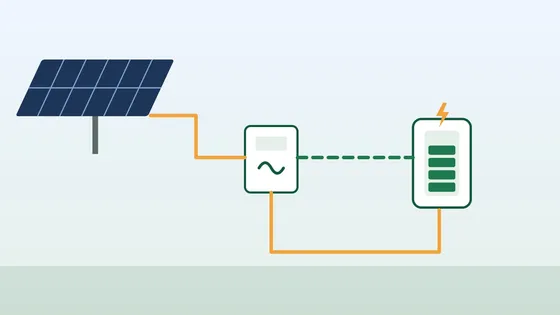
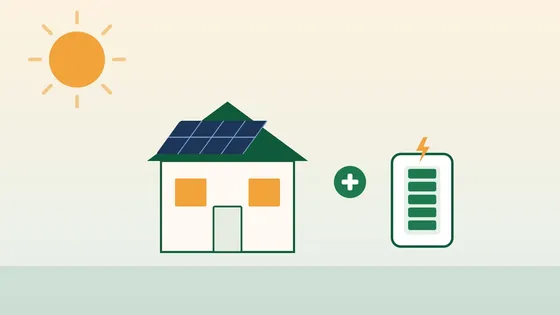
Without solar, the battery has to hold every kWh for the whole outage. With solar panels connected to the battery system, sunny days can refill it, so the battery mainly needs to carry the house through the evening and night. That is why many solar-plus-storage homes manage multi-day outages with one or two batteries. Cloudy, stormy weather is the exception, so plan for at least one day with little sun.
Bottom line
Look at your bill, choose between essentials and whole-home backup, and add a margin for the reserve and losses. For most homes that lands somewhere between one battery for essentials and about three for a typical whole home for a day. If you live somewhere with long summer or winter outages, size from that season’s bill and check that the battery’s power rating can start your largest motor.